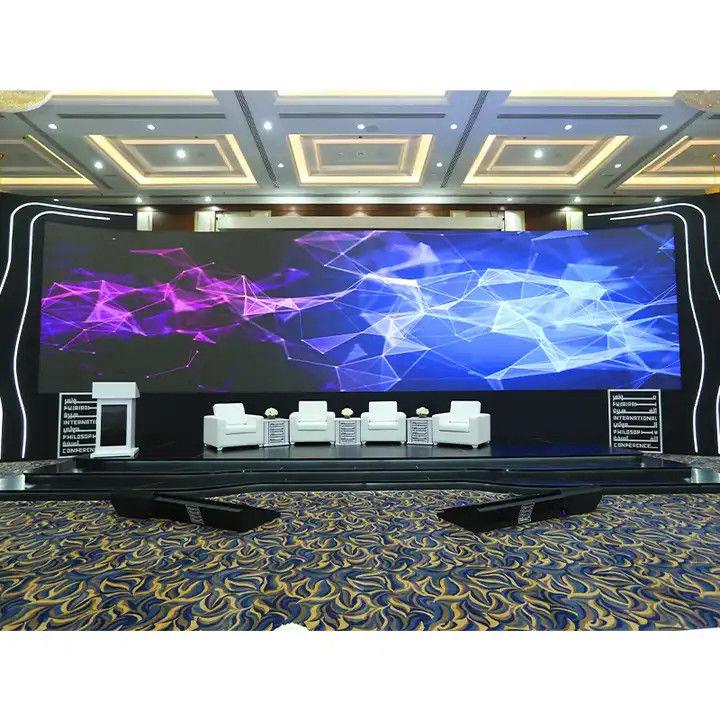
Choosing the Right LED Screen for Your Event: What Most People Get Wrong
When people think about LED screens, they usually focus on one thing:
“How big is it?”
But in reality, size is only a small part of the equation.
The difference between a stunning LED experience and a disappointing one often comes down to details most people never think about — brightness, pixel pitch, content quality, and setup.
Here’s what actually matters when choosing an LED screen for events, exhibitions, activations, or corporate experiences.
1. Indoor vs. Outdoor: It’s Not Just About Rain
Most people assume “outdoor LED” simply means waterproof.
It doesn’t.
The real challenge outdoors is fighting the sun.
Indoor LED Screens
Indoor environments are controlled.
Lighting is stable, viewing distances are short, and people are often standing just a few feet away from the screen.
That means you can prioritize:
- Ultra-sharp resolution
- Smaller pixel pitch
- Crisp visuals and detailed graphics
This is why indoor displays often look incredibly smooth and premium.
Outdoor LED Screens
Outdoors, brightness becomes everything.
If your screen isn’t pushing at least 5,000–7,000 nits, direct sunlight can completely wash out your content, turning vibrant visuals into a dull gray blur.
The Pro Move
Before installing any outdoor screen, always study the sun’s direction throughout the day.
Even high-end LED walls struggle with direct glare during peak daylight hours.
Positioning matters more than most people realize.
2. Pixel Pitch: Stop Overpaying for “High Resolution”
“Pixel pitch” simply refers to the distance between LED pixels.
The smaller the number, the tighter the pixels are packed together — and the sharper the image appears up close.
Smaller Pixel Pitch (P1.9 – P2.5)
These screens look incredibly smooth and detailed.
Best for:
- Exhibition booths
- Retail displays
- Indoor activations
- Close viewing distances
If people can walk right up to the screen, smaller pitch matters.
Larger Pixel Pitch (P3.9 – P4.8)
If your audience is standing 10 meters away, you usually don’t need ultra-high resolution.
At that distance, the human eye can barely notice the difference.
Choosing a larger pitch can save a significant amount of budget without sacrificing visual quality.
Simple Rule of Thumb
Take the pixel pitch and convert it into meters.
- P2 → minimum viewing distance ≈ 2 meters
- P4 → minimum viewing distance ≈ 4 meters
If viewers stand closer than that, they’ll begin to notice individual LED dots.
3. Size vs. Scale
Bigger isn’t always better.
A massive screen inside a small booth doesn’t make the brand feel powerful — it often makes the entire space feel cramped and uncomfortable.
The real goal is balance.
Think About Aspect Ratio
Most modern content is designed in a 16:9 format (standard widescreen).
When brands build unusual ultra-wide or extra-tall LED shapes just because they “look futuristic,” the content team often struggles to adapt visuals correctly.
The result:
- Stretched graphics
- Cropped videos
- Awkward compositions
- Poor viewing experience
Creative screen shapes can work — but only if the content is designed specifically for them.
4. The Silent Killer: Your Content
This is where many events fail.
You can rent the most expensive LED wall on the market, but if the content quality is poor, the entire experience falls apart.
Match the Resolution
If your LED wall resolution is:
- 3840 pixels wide
…then your video content should also be exported at:
- 3840 pixels wide
Low-resolution videos displayed on large LED walls instantly look outdated and unprofessional.
Contrast Matters More Than Complexity
LED screens handle:
- Deep blacks
- Bright colors
- High contrast visuals
extremely well.
But certain design choices perform terribly on LED displays.
Avoid:
- Thin white text
- Tiny typography
- Busy backgrounds
- Overly detailed graphics
These elements often vibrate visually and become uncomfortable to read.
Good LED content is usually:
- Bold
- Clean
- High contrast
- Motion-focused
5. Setup: The Part Nobody Notices… Until It Fails
LED screens are not plug-and-play systems.
They are:
- Heavy
- Power-hungry
- Technically sensitive
And setup quality matters just as much as the screen itself.
Common Problems During Poor Setup
- Flickering panels
- Uneven colors
- Misaligned tiles
- Visible seams
- Signal delays
- Frame drops
A single faulty tile can ruin the visual impact of an entire event.
Professional calibration and rigging are essential.
The Truth About Budget LED Screens
- Everyone wants to reduce costs.
But ultra-cheap LED panels are one of the biggest risks in live events.
Lower-quality panels often suffer from:
- Poor refresh rates
- Bad camera performance
- Color inconsistency
- Flickering on phones and video recordings
And here’s the reality:
If the screen looks cheap,
your brand looks cheap.
Investing in reliable LED technology isn’t just about visuals — it directly affects how people perceive your event, product, and company.
Final Thoughts
The best LED setup isn’t necessarily the biggest or the most expensive.
It’s the one that balances:
- Viewing distance
- Brightness
- Resolution
- Content quality
- Space design
- Technical execution
When all those elements work together, the screen stops feeling like hardware and starts feeling like an experience.